
Make your traces go further
What uses a trace and when it counts, how to get several tools from one photo, the free monthly bonus and when an upgrade makes sense.
Every plan comes with traces. Free has 10, plus a bonus each month once they're gone. Pro has 30 a month. Workshop has 100. Only one step uses a trace, and the top bar shows how many you have left.
What uses a trace
Clicking Continue on the corners page runs the trace, and that uses one. Uploading the photo, choosing and renaming tools, editing outlines, making bins and exporting files do not. Each tool you save takes one of your plan's tool slots, and each bin a bin slot.
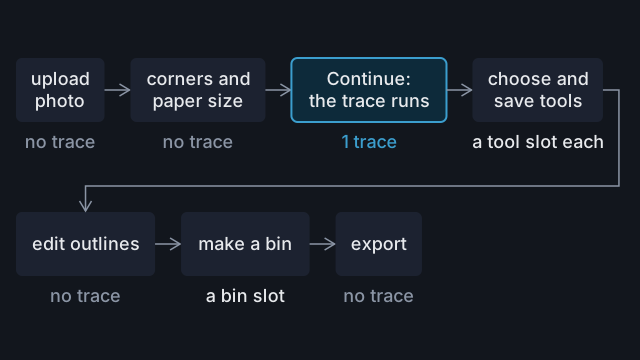
When a trace counts
- It counts when the trace finishes, even if it finds nothing and the page says No tools were detected.
- It does not count if the trace fails with an error. That page cannot run the trace twice, so upload the photo again to retry.
- With no traces left, the trace is refused before it runs and nothing is counted. Check the count in the top bar before you upload.
Put several tools in one photo
One photo is one trace, no matter how many tools are on the sheet. Ten hex keys traced together use one trace. Traced one at a time, they use ten. Trace a whole set in one photo covers spacing and naming.
Edit instead of tracing again
Most faults can be fixed without a trace:
- A tool that traced large because it's thick or the camera was close: type its measured size into the Size fields, as in Trace tall or thick objects.
- A shadow, a missing tip or a stray hole: see Fix a trace.
You need a new trace for a wrong paper size, a misplaced corner handle, tools traced as one outline, or large parts missing from the trace.
Get the corners right first
The corners and paper size are fixed once the trace runs. Zoom in to check each corner handle, and pick the paper you used: Paper Size starts on A4. Take a photo that traces accurately covers the photo itself.
The free monthly bonus
Free accounts start with 10 traces that do not expire. Once all 10 are used, you get one bonus trace in each calendar month (UTC) in which you have not traced yet. The first comes on the 1st of the month after your tenth trace. An unused bonus does not carry over.
When to upgrade
| Plan | Traces | Tools | Bins |
|---|---|---|---|
| Free | 10, then 1 a month | 3 | 2 |
| Pro | 30 a month | 50 | 25 |
| Workshop | 100 a month | 200 | 200 |
Paid traces reset on the 1st of each month (UTC) and do not carry over. Tools and bins count what you have stored, so deleting one frees a slot. If you trace sets, the slots fill before the traces run out: at two tools a photo, 25 traces fill all 50 Pro tool slots.
Upgrading mid-month does not reset the count. Pro and Workshop count every trace used in the calendar month, including any used on Free. Compare plans.
Common mistakes
- Tracing one tool per photo. A set on one sheet costs one trace.
- Tracing again to fix the size. The Size fields correct a thick tool or a close camera without a trace.
- Uploading with no traces left. The photo has to be uploaded again once traces are back.
Reference
More guides
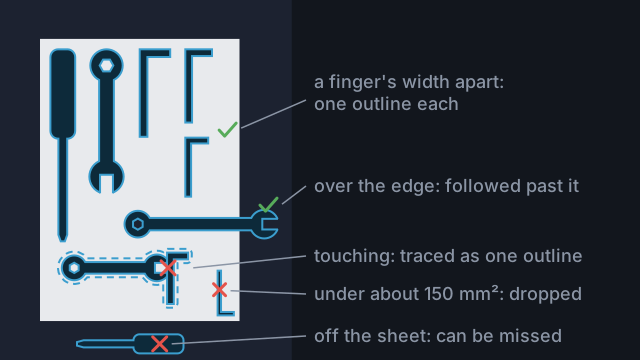
Trace a whole set in one photo
Lay a set out on one sheet, trace it once, then pick and name the tools to keep within your plan's limits.
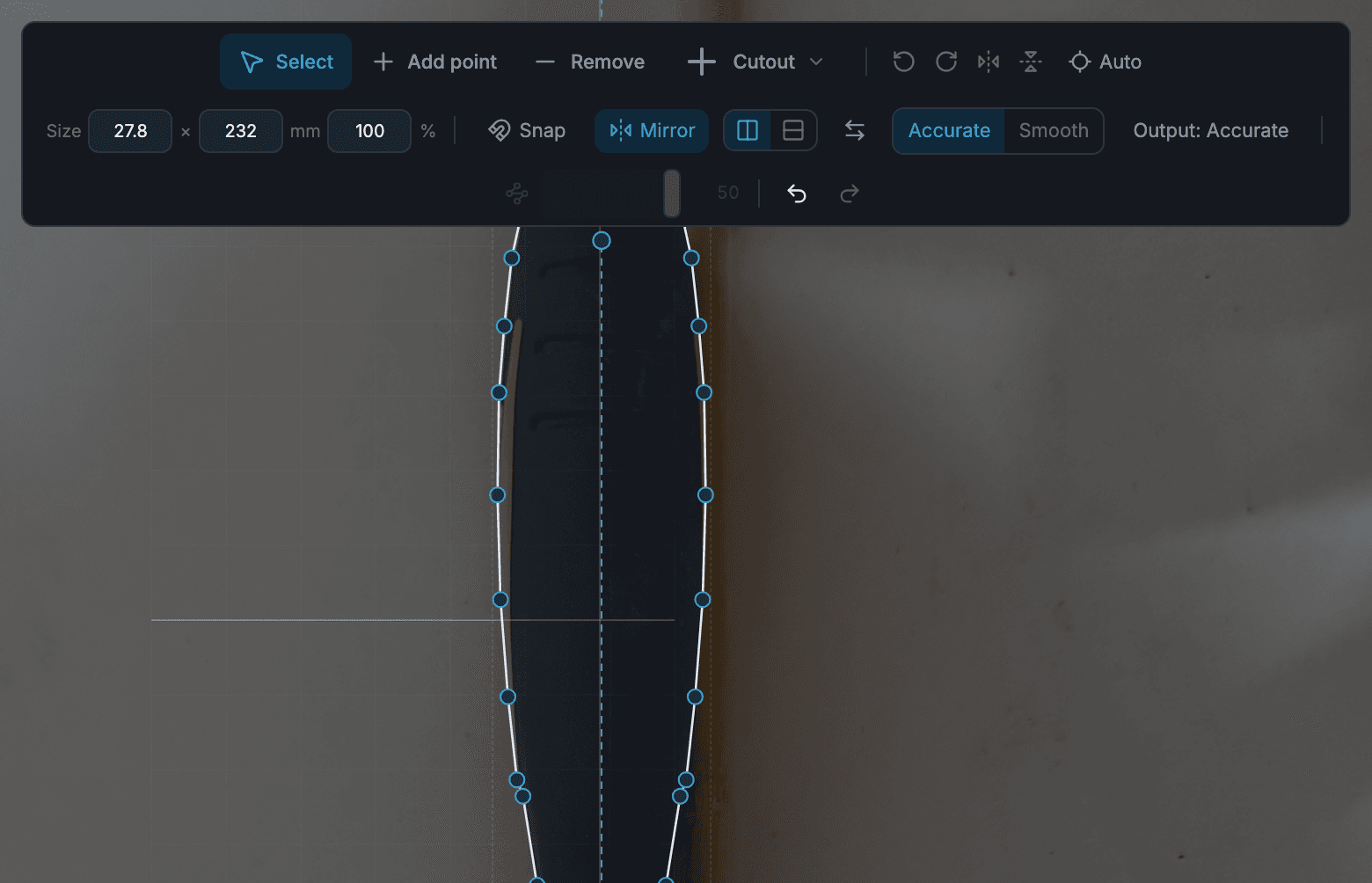
Fix a trace that's slightly off
Repair a missing part, a shadow, a stray hole or a ragged edge in the tool editor, mirror symmetric tools, and know when to trace again.
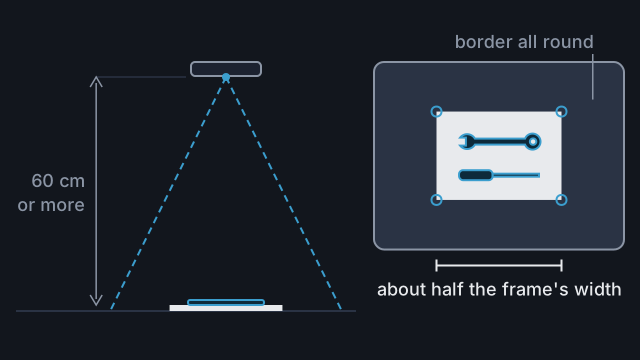
Take a photo that traces accurately
Set up the sheet, surface and light, then frame the photo so Tracefinity scales and traces your tools correctly.